Getting Started in The Great Build
Join the hub, place your first Gratitude Block, and claim early free items before the event ends.
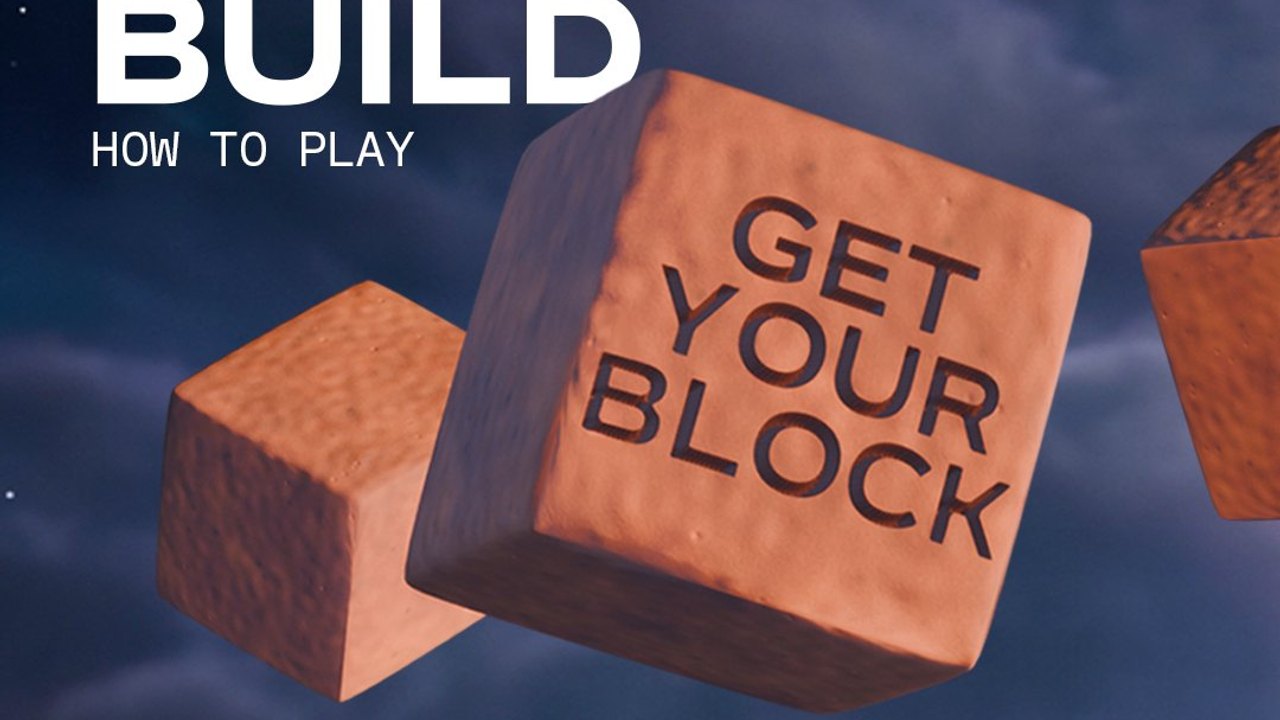
The Great Build is Roblox’s Thanksgiving community event from Roblox Presents. It runs November 25 through November 30, 2026, inside a single free hub. There are no participating external games, no Robux purchases for rewards, and no promo codes to redeem. Every free avatar item, badge, and the hub flight unlock are earned in one place: the shared tower experience.
This beginner guide shows you how to join the correct experience, read the How to Play flow, learn the hub layout, and finish a smart first session. When you are ready for deeper systems, jump to Gratitude Blocks, the Skybound Monarch obby, or the full how to get all items walkthrough. For ranking priorities, use the tier list. Check updates if a challenge status changes mid-event.
How to join The Great Build
- Open Roblox on any supported device.
- Find The Great Build from the Events banner on the home page, or search Discover for The Great Build.
- Confirm the creator is Roblox Presents. Copycat experiences reuse similar titles; only the official hub awards the free catalog items.
- Press Play and wait for the hub to load. Servers hold about 50 players each, so you may hop once if a server is full.
- Read the How to Play screen before you sprint away. It summarizes the five activities: share gratitude, build the tower, explore notes, chase community goals, and unlock UGC.
Official experience link: The Great Build on Roblox. Bookmark it and our wiki links hub so you can return quickly between hourly cooldowns.
How to Play in five steps
Roblox’s own How to Play flow matches what you do in the hub:
- Grab your free block. The Block Giver lever hands out one Gratitude Block every hour.
- Make it yours. Combine preset gratitude prompts. Free typing is not allowed; every message is chosen from guided options inspired by traditions around the world.
- Add it to the tower. Place the block on the shared tower. Your username stays on that brick permanently, and other players can click it to read your note.
- Explore. Climb or fly around the tower to read what everyone else wrote.
- Unlock free UGC together. When the global tower hits community milestones, new items unlock for players who have met the personal requirements. You still claim each item at its pedestal with E.
Nothing is mailed to your inventory automatically. Pedestal claims are mandatory for tower and hub rewards.
Hub layout you will use every visit
The hub is compact but dense. Learn these landmarks on day one:
- Block Giver: Lever near spawn that grants your hourly Gratitude Block.
- Shared tower: The centerpiece. Block count is global across servers, not local to your instance.
- Tower Information board: Shows current block count and height so you can track growth.
- Community Goal board: Counts blocks remaining until the next avatar item unlocks.
- Item pedestals: One stand per reward. Each lists the exact requirement. Walk up and press E to claim when eligible.
- Obby entrance: Starts the course for Skybound Monarch and hub flight.
Useful PC controls in the hub:
| Action | Key |
|---|---|
| Sprint | Ctrl |
| Claim at a pedestal | E |
| Fly up (after obby) | Space |
| Fly down (after obby) | Ctrl |
Mobile and console use on-screen jump and interact controls; the claim prompt still appears at pedestals when you are close enough.
What you can earn
Rewards fall into four buckets:
- Free avatar items: Ten accessories priced at 0 Robux. They go off sale after the event ends on November 30, 2026.
- Matching badges: Each item has a same-named badge. Use the experience Badges list as a completion checklist.
- Flight: Completing the hub obby unlocks flight for the rest of the event, which speeds every other task.
- Your place on the tower: Username plus gratitude note on every block you place.
Tower items need five personal blocks (and usually a community milestone). Hub challenges depend on your skill. Launcher circlets depend on catching items fired by Admins or Star Creators. Details live in how to get all items and launcher circlets. Two pedestals—Cloudtop Tower and Cloudbreaker Horns—still wait on challenges that were not open as of November 26, 2026; see the scavenger hunt status page before chasing fake guides.
First-session plan (about 30–45 minutes)
Use this loop the first time you join so you leave with progress instead of only sightseeing:
- Verify Roblox Presents and finish the How to Play screens.
- Pull the Block Giver and place your first Gratitude Block with any preset message you like.
- Start a 60-minute phone alarm the moment the cooldown appears (about 59 minutes). That alarm is how you finish five blocks without forgetting.
- Run the hub obby immediately during the cooldown. Claim Skybound Monarch at its pedestal and test flight with Space / Ctrl.
- Walk the pedestal row. Note which items say claimable, which need more blocks, and which say a challenge is not available.
- Check the Community Goal board so you know how close the next milestone is.
- Optional: Open a Star Creator launcher stream tab for later circlet hunting, then leave the hub until your alarm.
After five successful hourly visits you can claim Brickle & Pebble (five blocks only). If the tower already passed one million blocks—which it did around 4:20 PM EST on launch day—you can also claim Patchbrick Cap once those five blocks are placed. Higher milestones (5M, 10M, 20M) unlock later tower items for the same five-block personal requirement.
Common beginner mistakes
- Joining a fake “Great Build” experience that is not Roblox Presents.
- Placing one block and waiting for items to appear without pressing E at pedestals.
- Skipping the obby, then wasting time walking the hub without flight.
- Saving all five blocks for the last day. The personal five-block gate is required even after milestones unlock.
- Trusting posts that claim Cloudtop Tower or Cloudbreaker Horns are already completable. Confirm status on our scavenger hunt guide and official pedestals.
- Looking for codes. This event has none—see the codes hub note for confirmation.
What to do next
- Deep dive on the hourly loop: Gratitude Blocks.
- Solo wings and flight: Skybound Monarch obby.
- Full checklist of all ten items: How to get all items.
- Circlet hunting: Launcher circlets.
- Locked challenges: Scavenger hunt.
- Priority order: Tier list.
- Patch notes and milestone news: Updates.
- Scripts policy and safety: Scripts hub.
- Creator and social links: Wiki links.
Stay inside the official hub, claim early, and treat every extra block as help for the whole community toward The Ascendant Bloom at twenty million blocks. The event window is short—finish your five personal blocks as soon as you can.
Frequently Asked Questions
Quick answers for The Great Build on Roblox.
Is The Great Build free to play?
Yes. The hub costs 0 Robux, Gratitude Blocks are free each hour, and every listed avatar item is priced at 0 Robux. There are no event codes and no paywalled rewards inside the official Roblox Presents experience.
How do I know I joined the real The Great Build hub?
Check that the creator is Roblox Presents and that the experience ID matches the official page (game 98487757108234). Avoid similarly named fan places that cannot grant the catalog items.
What should I do in my first session?
Place one Gratitude Block, set a one-hour alarm, complete the hub obby for Skybound Monarch and flight, then inspect every pedestal and the Community Goal board before you leave.
Do I need codes to claim items?
No. The Great Build does not use promo codes. Rewards come from placing blocks, finishing hub challenges, catching launcher circlets, and pressing E at pedestals when requirements are met.
When does the event end?
The Great Build runs November 25–30, 2026. Roblox has not published an exact end hour on the final day, so claim unlocked items early on November 30 rather than waiting until late evening.