The Great Build Skybound Monarch Obby Walkthrough
Clear the hub obstacle course, unlock flight, and claim the free Skybound Monarch wings.
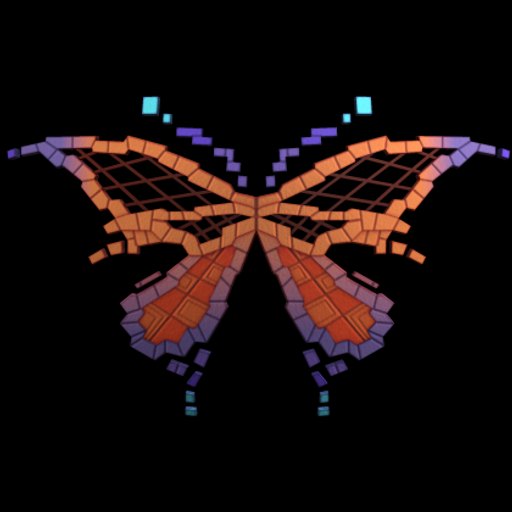
Skybound Monarch is the fastest solo reward in The Great Build and the key that unlocks hub flight. You do not need Gratitude Blocks, milestones, or launcher queues for this item—only a clean run of the official hub obby and a pedestal claim. This walkthrough covers how to start the course, what to expect on the platforms, how flight controls work after you finish, why flying matters for the rest of the event, and how to claim the wings if the badge feels delayed.
Pair this page with Getting Started if you just arrived, Gratitude Blocks for the hourly loop you can run between attempts, and how to get all items for the full ten-item checklist. After flight unlocks, hunting launcher circlets and checking scavenger hunt pedestals becomes much faster. Rank priority on the tier list.
Why Skybound Monarch comes first
Most event rewards ask you to wait—on cooldowns, on millions of community blocks, or on creator streams. Skybound Monarch asks only for a short obstacle course inside the Roblox Presents hub. Finishing it grants:
- The Skybound Monarch avatar item (0 Robux, goes off sale after November 30, 2026).
- The matching Skybound Monarch badge.
- Flight inside the hub for the rest of the event.
Flight is the real prize for efficiency. Pedestals, tower notes, and high ledges that might hide later challenges are minutes faster with Space and Ctrl than with walking and climbing alone.
How to start the obby
- Join the official experience: The Great Build by Roblox Presents.
- From spawn, locate the obby entrance in the hub (near the tower area—follow on-screen cues if present).
- Step onto the start. You should see a message similar to “Obby started! Reach the finish.”
- Complete the course using checkpoints. Falling returns you to the last checkpoint, not always to the very beginning.
- At the end, look for “Obby complete!” Flight unlocks in the hub at this moment.
- Travel to the Skybound Monarch pedestal, walk up, and press E to claim.
If you are mid Gratitude Block cooldown, this is the perfect activity—the obby does not consume your hourly block.
What the course feels like
The Great Build hub obby is intentionally short compared with classic long Roblox stage games. Expect:
- A sequence of platform jumps with clear landing pads.
- Wall sections that ask for careful timing rather than advanced wall-hop tech.
- Checkpoints spaced so a single miss does not erase the whole run.
- A finish trigger that awards completion and flight without a separate quiz or NPC dialogue.
Difficulty is friendly to newer players. Take your time on narrow pads. Sprint (Ctrl on PC while on solid ground) helps on longer straights before jumps, but do not sprint off edges. If you fall, breathe, respawn at the checkpoint, and continue—there is no attempt limit and no Robux retry fee.
Claiming the wings at the pedestal
Completion alone is not the same as owning the accessory in your inventory UI. After “Obby complete!”:
- Find the Skybound Monarch pedestal among the item stands.
- Stand close until the claim prompt appears.
- Press E (or the on-screen interact control on mobile/console).
- Open the Avatar Editor and confirm the wings appear under accessories.
- Optionally check the experience Badges list for Skybound Monarch.
Badge pop-ups can lag a few seconds. If the pedestal claims successfully but the badge is slow, rejoin once and refresh the experience page. If the pedestal says you cannot claim, make sure you truly finished the obby in this account session—restart the course if needed.
Flight controls after the obby
Once flight is unlocked in the hub:
| Action (PC) | Control |
|---|---|
| Fly upward | Space |
| Fly downward | Ctrl |
| Move horizontally | Standard WASD / thumbstick |
Mobile and console use jump and analog movement with the flight state enabled after completion. Flight is for hub traversal during the event, not a permanent outside-of-hub superpower granted forever in every Roblox place. Use it here to:
- Reach pedestals quickly after milestones unlock.
- Read notes high on the shared tower.
- Scout upper structures while waiting for the scavenger hunt and time trial to open.
- Reorient after dying or resetting.
Why flight helps every other goal
- Tower items: After you place five Gratitude Blocks, you still must touch each pedestal. Flying the pedestal row is faster than ground paths when the hub is crowded.
- Milestone checks: Community Goal and Tower Information boards are easier to revisit between hourly alarms when you can drop in from above.
- Circlet servers: Even when you hop to a launcher stream server, having already claimed Skybound Monarch means your completion checklist is shorter when you return.
- Unreleased challenges: Players searching near ~300 feet up for unfinished structures benefit from flight. You still cannot complete Cloudtop Tower or Cloudbreaker Horns until Roblox enables those activities—but scouting is safer and quicker in the air.
First-night strategy
A strong launch-night pattern many players use:
- Pull the Block Giver and place block one.
- Start a 60-minute alarm.
- Run the Skybound Monarch obby immediately.
- Claim the wings, test Space / Ctrl for ten seconds.
- Fly the full pedestal line and note which items are claimable versus locked.
- Leave or AFK until the next block, then repeat placements until five are done.
That sequence yields Skybound Monarch plus progress toward Brickle & Pebble and Patchbrick Cap in a single evening. Details on those claims sit in how to get all items.
Troubleshooting the obby and claim
- Cannot find the entrance: Explore near the tower and follow other players entering a marked course. Confirm you are in the Roblox Presents hub, not a fan copy.
- Falling repeatedly: Slow down on thin platforms; use checkpoints as save points rather than rushing.
- Finished but no flight: Soft rejoin, ensure the completion message appeared, and retry the last section if needed.
- Flight works but pedestal fails: Stand closer, press E again, check Avatar Editor. Rare sync delays resolve after a rejoin.
- Badge missing: Wait a minute, rejoin, then check the experience Badges section. The accessory in the Avatar Editor is the stronger ownership signal.
Never pay Robux, join a password “obby unlock” Discord, or download a file to skip the course. The legitimate path is free inside the official hub only.
Related guides
- Getting Started
- How to get all items
- Gratitude Blocks
- Launcher circlets
- Scavenger hunt
- Guides hub
- Tier list
- Updates
- Wiki links
Clear Skybound Monarch early on day one. The wings look good on your avatar, the badge fills your tracker, and flight turns every later Great Build errand into a shorter trip before the event ends November 30, 2026.
Frequently Asked Questions
Quick answers for The Great Build on Roblox.
How do you unlock flight in The Great Build?
Complete the hub obby. When Obby complete! appears, flight unlocks inside the hub. On PC, press Space to rise and Ctrl to descend. Then claim Skybound Monarch at its pedestal with E.
Do you need Gratitude Blocks for Skybound Monarch?
No. Skybound Monarch is a hub challenge reward. Blocks are only required for the five tower items. You can finish the obby during a block cooldown.
Where do you claim Skybound Monarch?
At the Skybound Monarch item pedestal in the hub. After finishing the obby, walk or fly to the stand and press E. Confirm the accessory in the Avatar Editor.
Is the Skybound Monarch obby difficult?
It is a short course with platform jumps, wall sections, and checkpoints. It is designed to be approachable. Take your time on narrow pads; falling sends you to the last checkpoint.
Does flight work outside The Great Build?
Flight from this obby is for traversing the event hub. The Skybound Monarch accessory stays on your avatar as a cosmetic after you claim it, but the event flight controls are for the hub experience.