How to Get All The Great Build Items
Every free UGC, badge, and claim rule in one walkthrough for November 25–30, 2026.
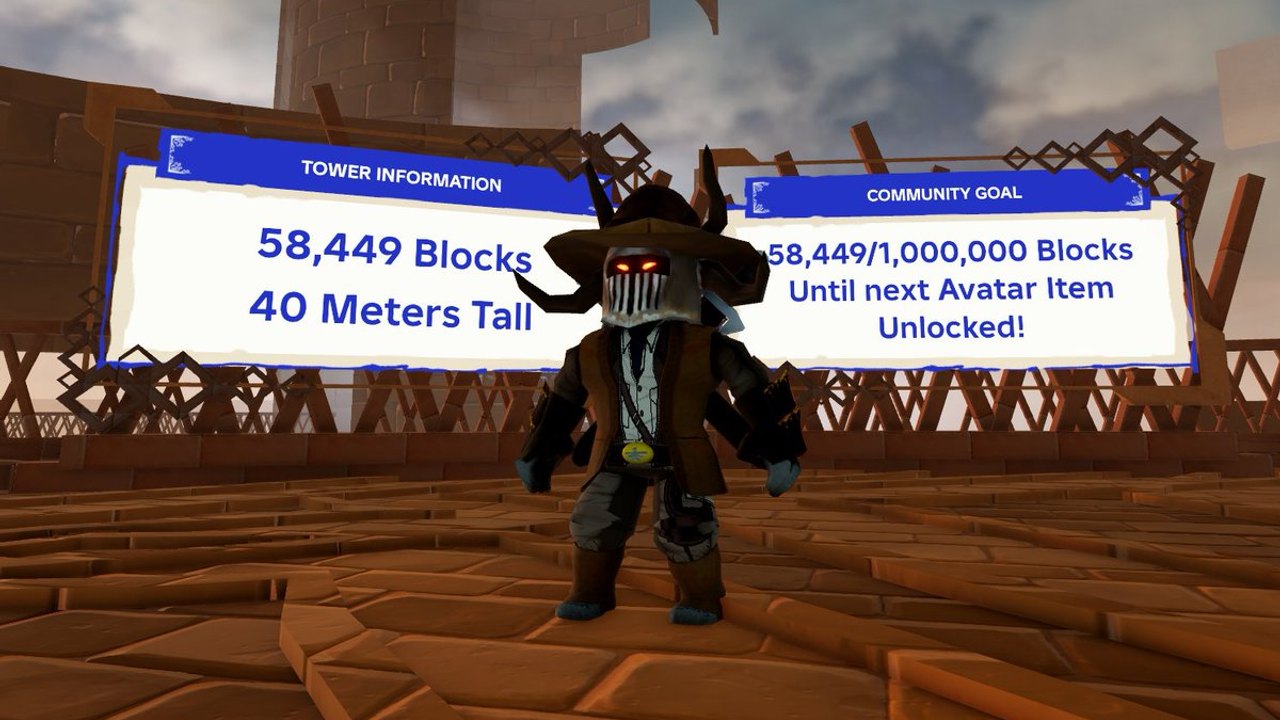
The Great Build hides ten free avatar items inside one Roblox Presents hub. Some unlock from your own hourly work, some unlock when the shared tower hits community milestones, some need a skill challenge, and two circlets must be caught from launchers. This guide is the full checklist: requirements, strategies, a day-by-day plan, and what to do when a pedestal says Failed to claim.
If you are brand new, skim Getting Started first. For the hourly mechanic alone, read Gratitude Blocks. For the wings, use the Skybound Monarch obby guide. Circlets have their own page at launcher circlets. Locked pedestals are covered in scavenger hunt. Compare priority with the tier list.
Quick answer
Place five Gratitude Blocks (one per hour) for the five tower items, complete the hub obby for Skybound Monarch and flight, and catch Sapphire Brick Circlet plus Golden Brick Circlet from Admin or Star Creator launchers. Cloudtop Tower and Cloudbreaker Horns need a scavenger hunt and a time trial that were not available yet as of November 26, 2026.
Full item table
| Item | Group | Requirement | Typical status |
|---|---|---|---|
| Brickle & Pebble | Tower | Place 5 personal blocks | Claimable after fifth block |
| Patchbrick Cap | Tower | 5 blocks + 1M tower blocks | Claimable (1M hit ~4:20 PM EST launch day) |
| Snowcapped Brick Tails | Tower | 5 blocks + 5M tower blocks | Waits on milestone |
| Terracotta Skyserpent | Tower | 5 blocks + 10M tower blocks | Waits on milestone |
| The Ascendant Bloom | Tower | 5 blocks + 20M tower blocks | Waits on milestone |
| Skybound Monarch | Hub | Complete the obby | Claimable now |
| Cloudtop Tower | Hub | Complete the scavenger hunt | Not available yet |
| Cloudbreaker Horns | Hub | Complete the time trial | Not available yet |
| Sapphire Brick Circlet | Launcher | Catch from an Admin bow | Available when Admins launch |
| Golden Brick Circlet | Launcher | Catch from a Star Creator bow | Available via creator streams/queues |
All ten catalog items are priced at 0 Robux and go off sale after the event. Each item also grants a matching badge with the same name.
Tower items: five blocks plus milestones
Every tower item shares one personal rule: you must place five Gratitude Blocks. Four items add a community milestone on top. When the shared tower crosses that number, anyone with five placed blocks can claim—regardless of who placed the tipping block. You still walk to the pedestal and press E.
Brickle & Pebble (5 blocks only)
Shoulder accessory with no community gate. Place your fifth block, find the Brickle & Pebble pedestal, and claim. Most players finish this within five hours of starting if they respect the hourly cooldown. Details on the loop live in Gratitude Blocks.
Patchbrick Cap (5 blocks + 1 million)
The tower reached one million blocks around 4:20 PM EST on November 25, 2026, roughly three hours after the hub opened near 1 PM EST. Once you have five personal blocks, Patchbrick Cap is ready at its pedestal.
Snowcapped Brick Tails (5 blocks + 5 million)
Watch the Community Goal board for the countdown to five million. When it unlocks, claim immediately; unlocked items are not mailed to you.
Terracotta Skyserpent (5 blocks + 10 million)
Ten million is the next pedestal tier. Expect it later in the event window as daily block rates settle after launch day.
The Ascendant Bloom (5 blocks + 20 million)
Finale tower item. Twenty million blocks is twenty times the first goal. Each player can place at most one block per hour, so community pace matters. Extra blocks beyond your five still help everyone reach this last milestone before November 30.
Hub challenges
Skybound Monarch (obby + flight)
Fastest solo reward. Start the hub obby, clear platforms and wall sections using checkpoints, finish for the “Obby complete!” message, then claim Skybound Monarch at its pedestal. Flight unlocks in the hub: Space to rise, Ctrl to descend on PC. Full route tips: Skybound Monarch obby.
Cloudtop Tower (scavenger hunt)
Pedestal text asks you to complete the scavenger hunt. As of November 26, 2026, the hunt is not playable. Pressing E returns Failed to claim. Do not follow “secret method” videos. Status and scam warnings: scavenger hunt.
Cloudbreaker Horns (time trial)
Pedestal asks for a time trial. No confirmed start point was found yet. Players who flew high in the hub reported unfinished structures and a circling helicopter, but no trial entrance. Check daily until the event ends.
Launcher circlets
These two items are caught, not earned at a lever.
- Sapphire Brick Circlet: Fired from Admin bow launchers.
- Golden Brick Circlet: Fired from Star Creator bow launchers.
Join live launcher streams or queues, stand in the landing arc, and confirm the item in the Avatar Editor before leaving. Strategy, timing, and catch tips: launcher circlets.
Day-by-day plan before November 30
| Day | Focus | Target items |
|---|---|---|
| Day 1 | Place first block, run obby during cooldown, finish five blocks | Skybound Monarch, Brickle & Pebble, Patchbrick Cap |
| Day 2 | Launcher streams/queues while keeping hourly blocks | Sapphire Brick Circlet, Golden Brick Circlet |
| Days 3–4 | Watch milestones; fly hub for newly opened challenges | Snowcapped Brick Tails, Terracotta Skyserpent when unlocked |
| Final day | Claim early; finish any newly released hunt/trial | The Ascendant Bloom; Cloudtop Tower / Cloudbreaker Horns if live |
Launch day always has the densest player count. Pace usually slows mid-week, which is why Ascendant Bloom is the community risk item. Your personal five blocks should still be finished early so you are eligible the moment each milestone pops.
Troubleshooting Failed to claim
“Failed to claim” almost always means one of these:
- Fewer than five personal blocks for a tower item, even if the milestone already unlocked.
- Milestone not reached yet—check the Community Goal board for remaining blocks.
- Challenge not released—Cloudtop Tower and Cloudbreaker Horns until their activities go live.
- Sync delay—rejoin the hub, try the pedestal again, then open the Avatar Editor. Badges can pop late; items sometimes appear in the editor before inventory lists refresh.
Also confirm you are in the Roblox Presents hub and that you pressed E at the correct pedestal. Items never auto-grant.
Badges and inventory checks
There are ten badges, one per item, with matching names. Open The Great Build experience page and scroll to Badges to see what you still lack. If you have a badge but cannot find the accessory, search the Avatar Editor. If you have the accessory but no badge, rejoin and wait a minute—badge UI can lag.
Mistakes that waste the event window
- Waiting for milestones before placing your five blocks.
- Forgetting pedestal claims after unlocking.
- Leaving everything for the last evening of November 30 without a published end hour.
- Believing “all ten items done” posts while the scavenger hunt and time trial are still closed.
- Joining fake free-item places or entering passwords for “unlock services.”
Related guides on this wiki
- Getting Started
- Gratitude Blocks
- Skybound Monarch obby
- Launcher circlets
- Scavenger hunt
- Guides hub
- Tier list
- Updates
- Codes (none for this event)
- Scripts (safety only)
- Players
- Wiki links
Claim what is open today, keep the hourly alarm going, and revisit pedestals whenever the Community Goal board ticks down. That is how you finish every currently available item and stay ready for the last two challenges if Roblox opens them before November 30.
Frequently Asked Questions
Quick answers for The Great Build on Roblox.
How do you get every item in The Great Build?
Place five Gratitude Blocks for the five tower items, complete the hub obby for Skybound Monarch, and catch both Brick Circlets from Admin or Star Creator launchers. Cloudtop Tower and Cloudbreaker Horns still need challenges that were not open as of November 26, 2026.
Why does a pedestal say Failed to claim?
Usually you have fewer than five personal blocks, the community milestone is not reached yet, the scavenger hunt or time trial is not live, or the client needs a rejoin. Check the Community Goal board and Avatar Editor after retrying.
Do tower items auto-grant when a milestone hits?
No. After you meet the personal five-block rule and the shared milestone, walk to the matching pedestal and press E. Nothing is sent automatically.
When did the tower hit one million blocks?
Around 4:20 PM EST on launch day, November 25, 2026, roughly three hours after the hub opened near 1 PM EST. That unlocked Patchbrick Cap for players with five personal blocks.
Are the items permanent after the event?
Yes. Claimed items stay in your inventory. They are not tradable and go off sale after November 30, 2026, so unclaimed rewards cannot be earned later.